Creating Tickets
1. Initiate your first ticket
Begin with a simple ticket option such as "General Admission". You can introduce additional ticket categories later for varying price levels or VIP entry.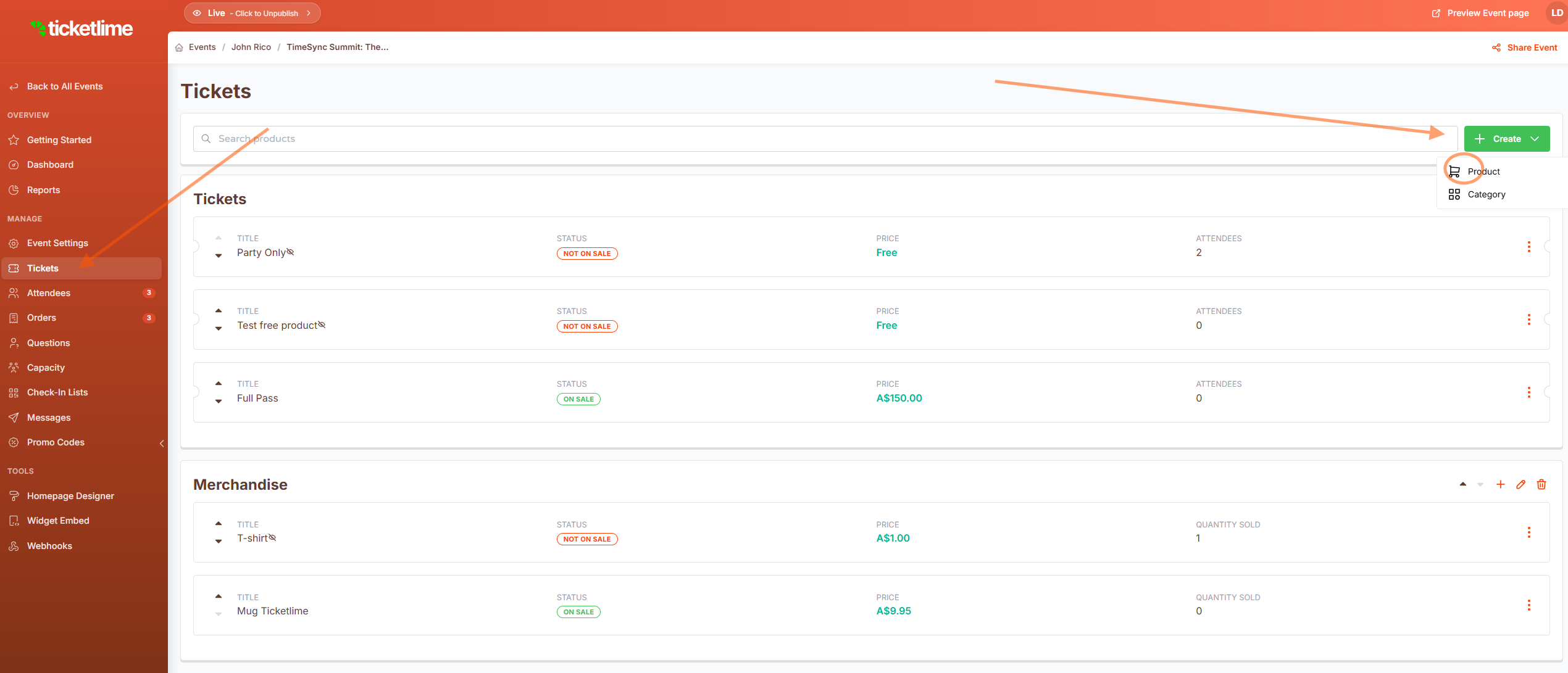
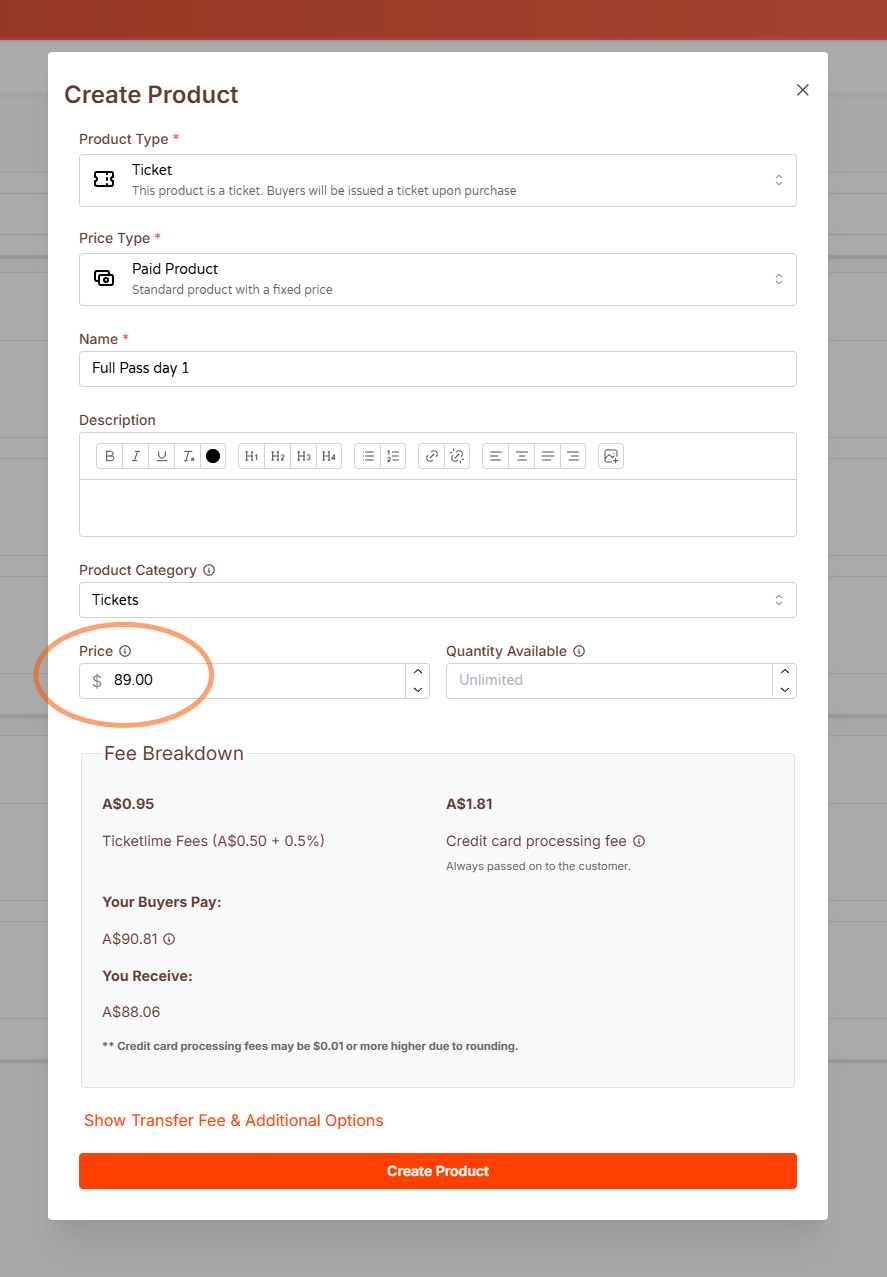
2. Determine ticket pricing
Specify the cost for your ticket. Set it to 0 for free events, or enter your preferred amount. You can also incorporate fees and taxes at a later stage.
3. Complete ticket setup
Hit "Create Product" to include this ticket type to your event.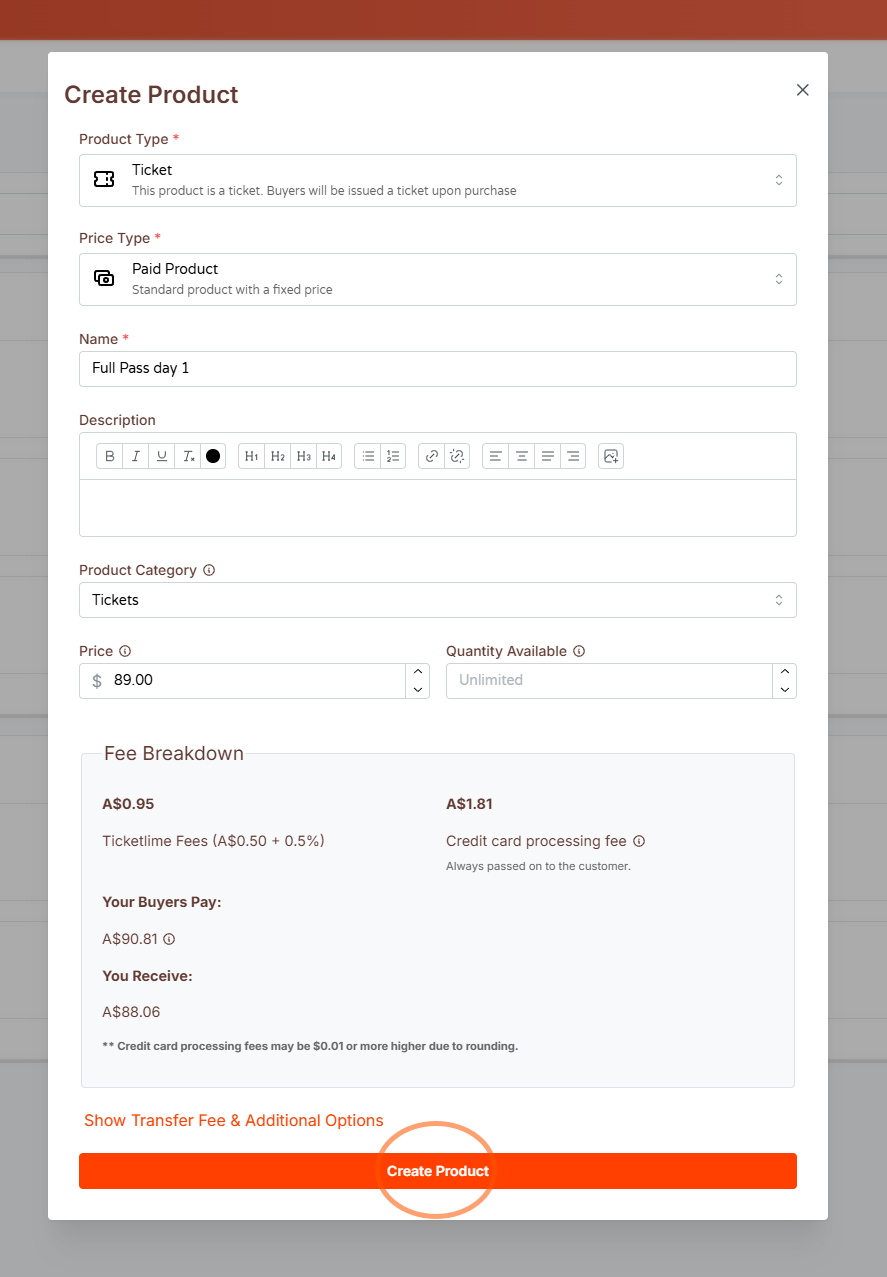
4. Review your event
Click "Preview Event page" to view how your event will look to participants. You can make changes to the layout and content from this point.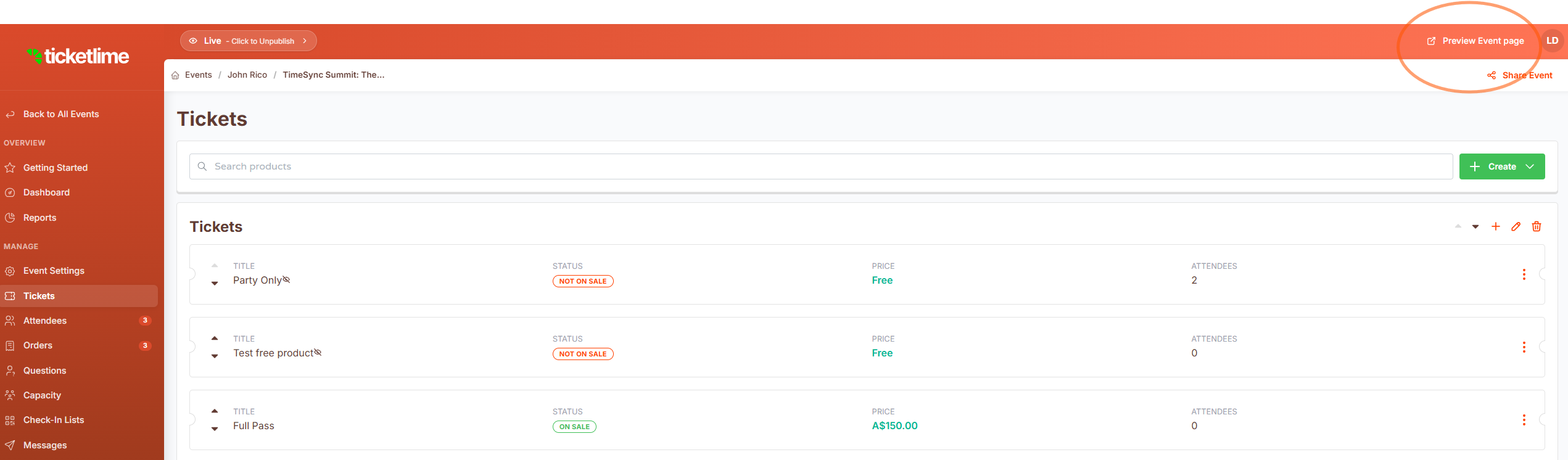
Start creating ticket now with TicketLime : https://app.ticketlime.com/auth/register
Was this article helpful?
That’s Great!
Thank you for your feedback
Sorry! We couldn't be helpful
Thank you for your feedback
Feedback sent
We appreciate your effort and will try to fix the article